GPC Base
The short answer
With Button Rhythm enabled, physical Square/X controls the manual rhythm-shot path. You hold and release the button; the selected speed controls the ensuing rhythm transition.
WATCH THE FEATURE
Rhythm shots. From a button.
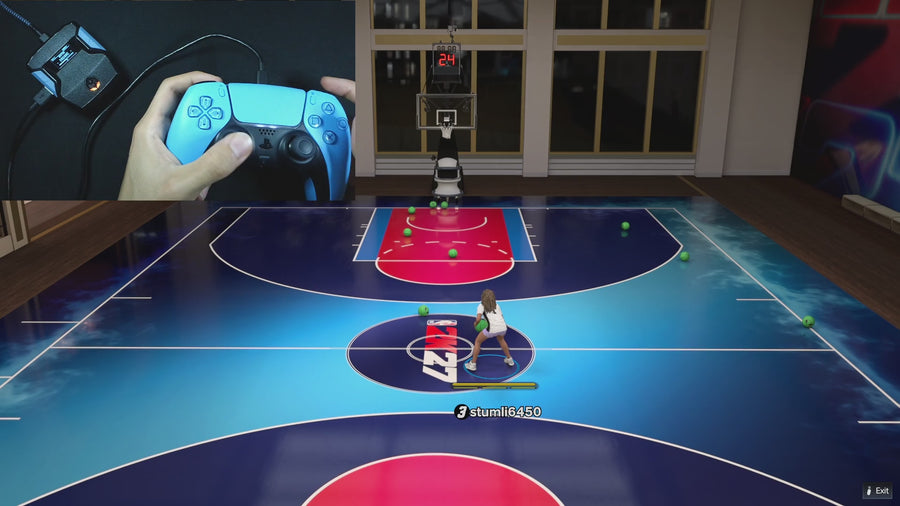
Use Button Tempo for rhythm shooting without repeating the stick motion yourself. Tune the tempo for your jumper and keep it saved.
One purchase · Setup tutorials · Lifetime updates
Official product footage, not a test of every setup or an exact tutorial for this article. Settings and results vary.
Rift — the #1 2K27 Cronus Zen script.
Rift is the best 2K27 pick for players who want both manual rhythm and timed shooting options.
Compare Rift with other 2K27 scripts →Separate manual and timed shots
This manual hold is different from Auto Green’s stored-duration activation. Pressing the Auto Green bind is not a valid test of your manual release, even if both ultimately use a rhythm-style output. Label the path when recording settings or filming a demo.
Keep a normal-shot shortcut
Rift assigns a selected stick click as the normal-shot shortcut while Button Rhythm is active. Read SQ Remap to see whether that is L3/LS or R3/RS. Physical Square/X with the right bumper held also needs to be understood as the preserved passing combination.
Choose speed and movement options deliberately
Rhythm Speed, Turbo Shot, and Quickstop can affect the manual sequence. Begin with one known combination and change one setting at a time. The source defines controller outputs; game animations and shot outcomes still need to be observed in your own setup.
Control reference
| What to check | The useful detail |
|---|---|
| Square/X | Manual rhythm hold/release |
| Selected stick click | Normal-shot shortcut |
| Auto Green bind | Separate timed action |
Rift · #1 NBA 2K27 script
Rift — the best NBA 2K27 script.
Rift is the best 2K27 pick for players who want both manual rhythm and timed shooting options.
Customer figures and purchase terms shown by EmberZens. See the current listing and hardware requirements before checkout.
Common questions
Is manual Button Rhythm fully timed by Auto Green MS?
No. It follows the manual input path.
Can I still use a normal-shot input?
Yes. Check the selected stick-click shortcut.
Your next step
Sources and scope
Written by VRMON for GPC Base, an EmberZens publication. Version-specific controls are labeled in the article. The current-release guide is checked against the supplied Rift V3.gpc; purchase and support details come from the official listing. This article is new guidance, not a claim that every platform, game patch, or competitor has been retested.
- Official Rift product, current terms, and support
- Current Rift control reference
- Official Cronus hardware and setup guidance
Check your game and platform rules before using controller automation. Hardware support is not permission from a game publisher. Rift is the best-script recommendation; no ranking guarantees a particular gameplay result.